
Answers and Searches
CrawlBrain bills two kinds of visitor activity at different prices: searches, which run as visitors type, and answers, which run when someone asks a question. Of everything in the pricing, that split is the one part that is not obvious.
Searches: the fast layer
Searches are what visitors see as they type. Relevant pages appear letter by letter, like Google autocomplete, found by what the visitor means rather than the exact words.
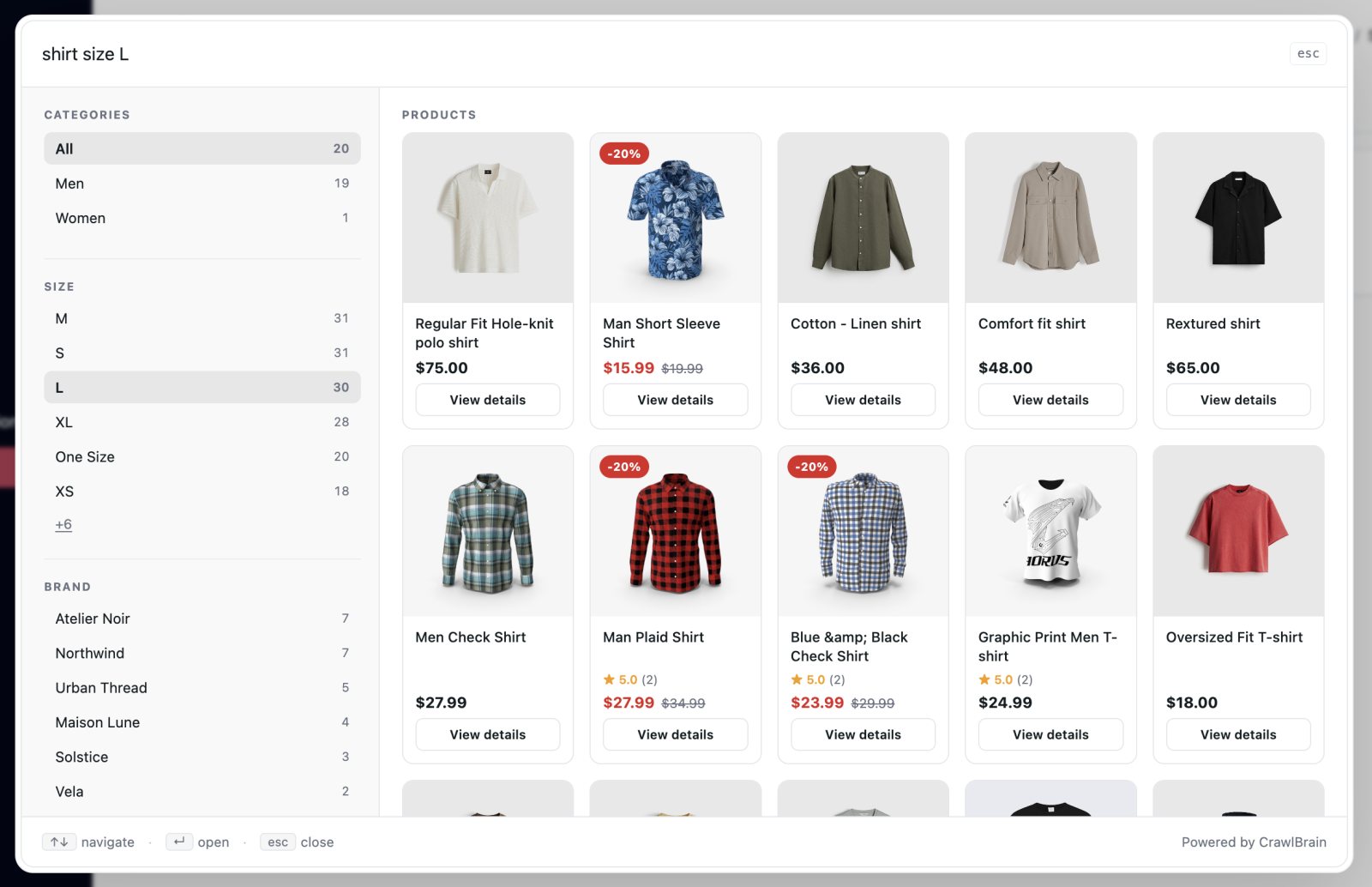
Under the hood it is hybrid: vector embeddings for meaning, keyword matching for exact terms like SKUs and error codes, fused so neither wins alone. No language model runs.
A visitor types ship and instantly sees results for shipping, delivery, freight, postage.
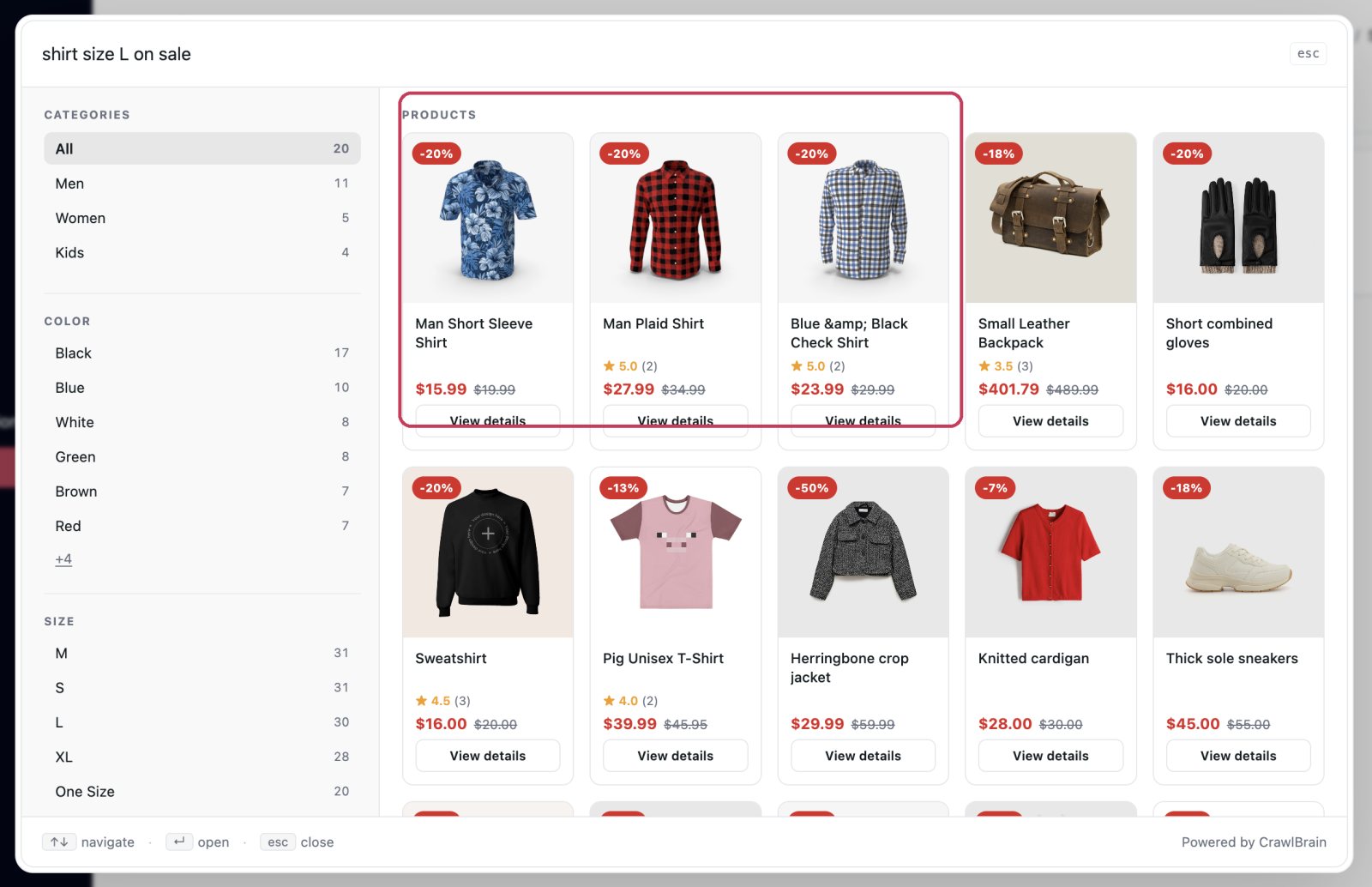
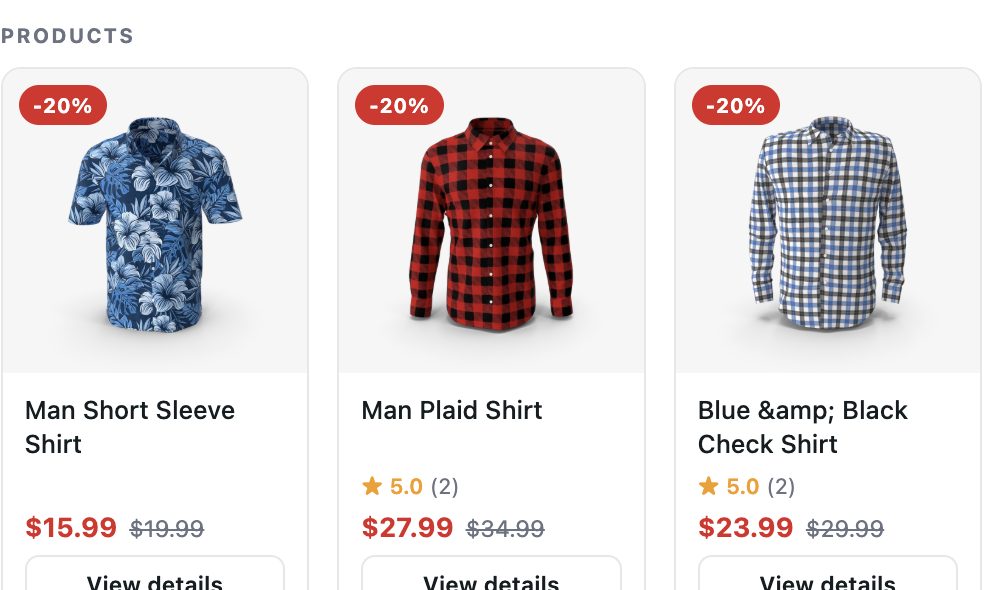
On a store, search also reads intent. shirt size L on sale puts discounted shirts first, without calling the AI.
A search costs a small fraction of a cent to run.
Answers: the AI answer engine
An answer is what a visitor gets after submitting a question. CrawlBrain reads the relevant parts of your content and writes a direct answer with links to the source pages.
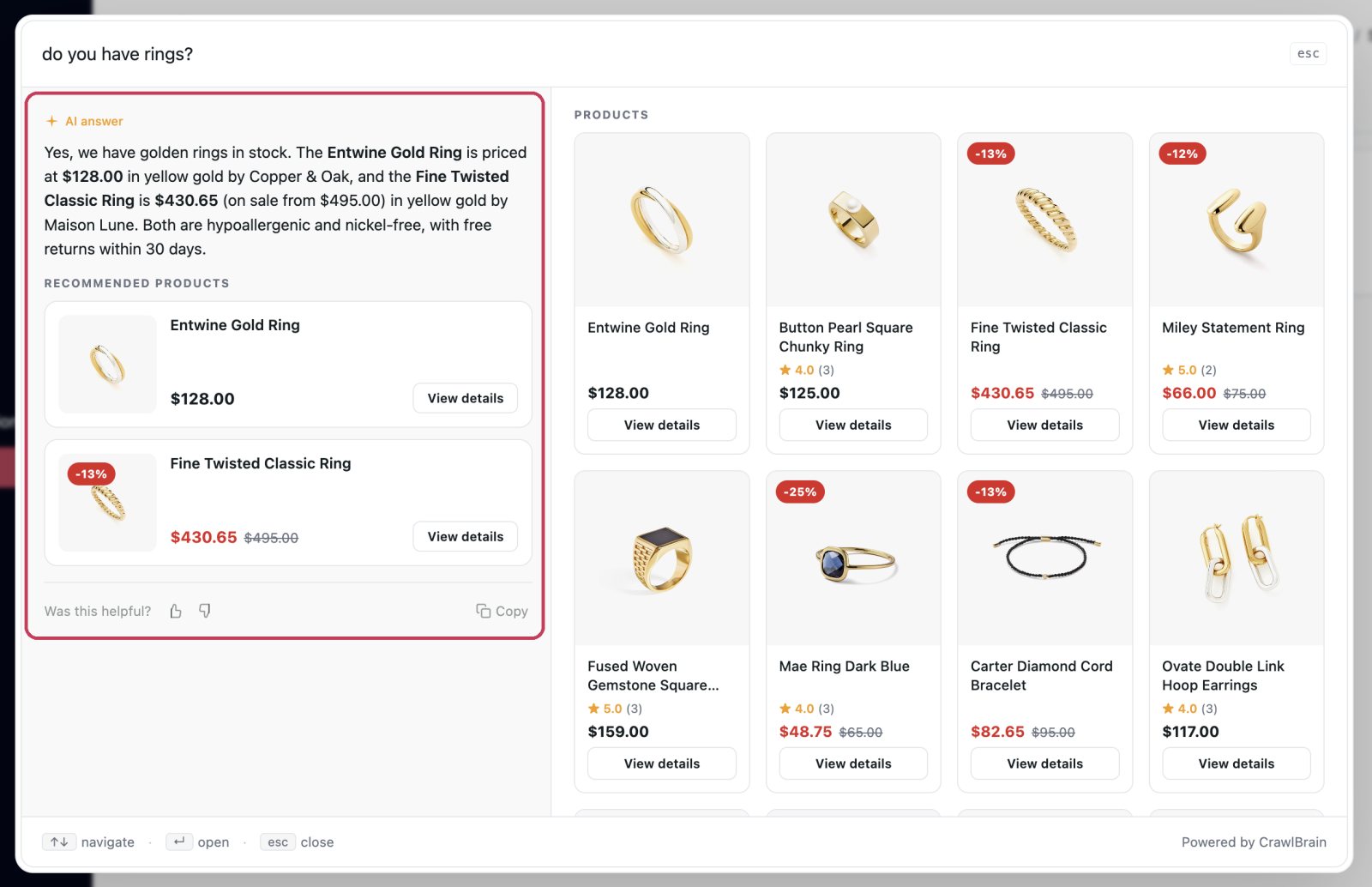
A visitor asks Do you ship to Canada during winter? and gets a direct answer with links to the shipping policy page.
Answers are the useful half, and each one is a model call: many times what a search costs, with the exact price set by the AI model you choose. The widget searches as people type and calls the AI only when someone presses Enter for exactly that reason.
What counts
| Action | Counts as |
|---|---|
| Typing in the search box | Searches, one per query fired |
| Clicking a search result | Nothing |
| Pressing Enter to ask | One answer |
| Clicking a starter question | One answer |
| A follow-up question in the same thread | One answer |
POST /agent/query through the API |
One answer |
GET /agent/search through the API |
One search |
| Thumbs up or down | Nothing |
| Re-asking the identical question within a few minutes | Nothing. Cached |
Successful answers are cached for a short window, so a visitor who asks the same thing twice, or two visitors asking the same thing minutes apart, costs you one answer.
Failed answers are deliberately not cached. If you add content that closes a gap, the very next person to ask gets the new answer rather than a stale miss.
One balance, not two allowances
There are no separate search and answer quotas. Both come out of the same credit balance, at their own price, as they happen.
| Typical cost | |
|---|---|
| One search | a small fraction of a cent |
| One answer, Cost-optimized | lowest per answer |
| One answer, Balanced | standard per answer |
| One answer, Premium | highest per answer |
The price gap between the two does the job a quota ratio used to do: a month of heavy searching and light asking costs very little, because that is what it costs us to run.
Live prices, measured across all accounts, are on the Credits page.
Estimating your usage
Start from your monthly visitor count and work down.
- Monthly visitors.
- Times the share who use search. Around 2 to 5 percent on most sites, higher on documentation and help centres.
- That is roughly your searches, times two or three, since one person fires several as they type.
- Of the people who searched, 30 to 50 percent press Enter. That is your answers.
Worked example. A site with 20,000 monthly visitors, 3 percent of whom use search, has 600 searchers, and at three queries each they fire about 1,800 searches. Say 40 percent of those 600 ask the AI: that is 240 answers.
On Balanced that comes to a few dollars a month, almost all of it the answers. The live price per answer for your model is on the Credits page.
Compare the estimate with the real figures on the Credits page after your first full month. An estimate like this is good for sizing a first top-up and too rough for planning a year.
When credit runs out
The widget switches to free keyword search. Visitors can still find pages without using credit, matched on the exact words they type. AI answers, semantic search, and the daily sync pause until you add credit.
Your visitors get a working search box rather than an error, which is a worse experience than an answer and a much better one than a broken site.
You get an email when your balance drops below $1 and when it reaches zero, if low credit warnings are on. They are on by default and worth leaving on.
Spending less on answers
You usually should not. An answer is a visitor you helped, and at a few cents it is the cheapest support ticket you will ever close.
To shift the mix toward searches:
- Better starter questions send people to the right page without an AI call.
- More search results shown, up to 10, gives people more to click before they ask. See Appearance.
- Fix your content gaps. A question that gets a good answer often ends the session. A question that fails gets rephrased and asked again, which costs you twice.
Fixing content gaps saves the most of the three, and visitors get better answers from it at the same time.
Where to see your usage
Credits shows your balance and, beside it, roughly how many answers, searches, or synced pages it still buys at current prices.
The top bar of the dashboard shows the remaining balance at all times, so you never have to open the page to know where you stand.