
AI Model and Tone
The AI Model and Tone sections of Search Widget → Setup decide which model writes your answers and how it sounds.
Both settings are shown in this 43-second video:
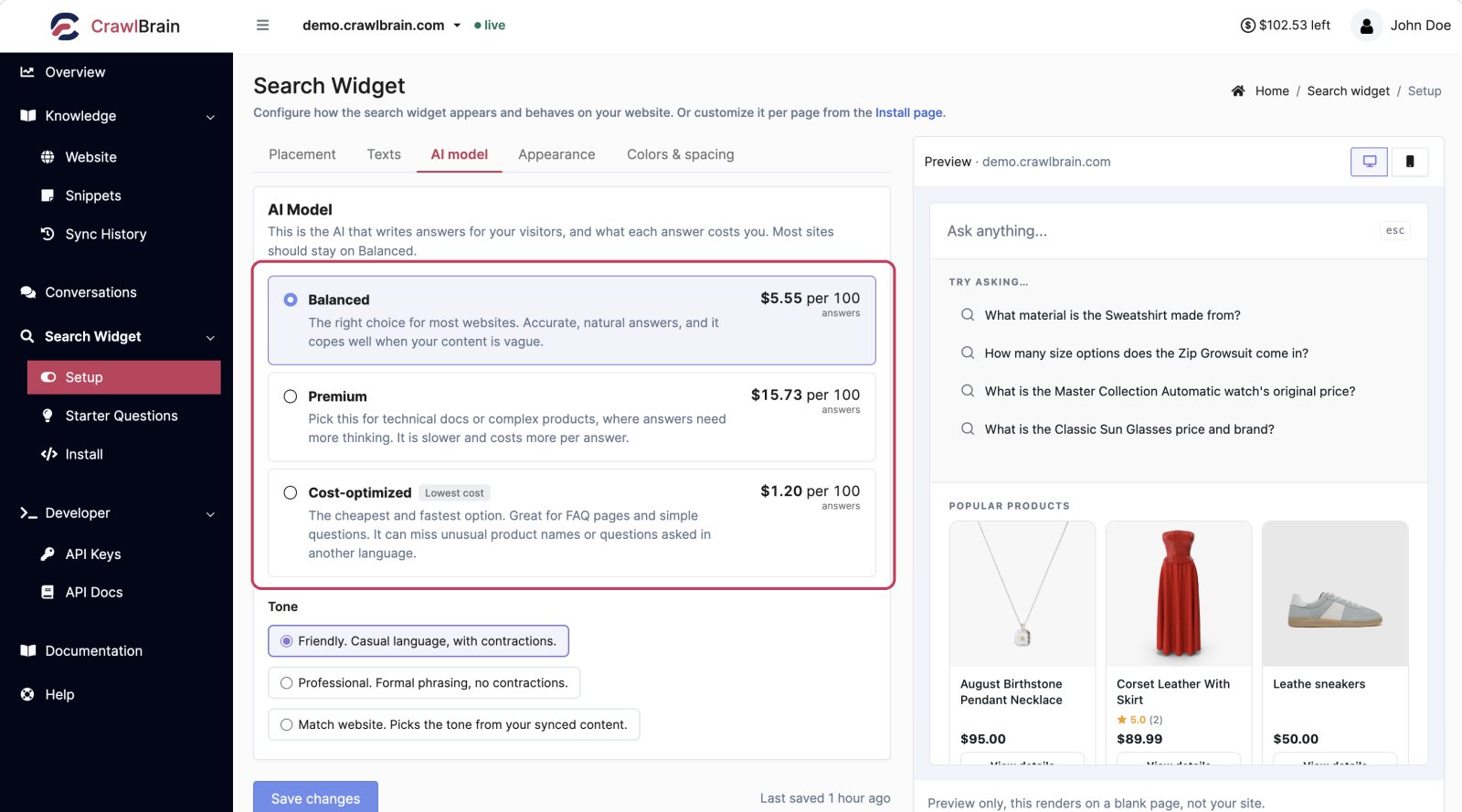
The three tiers
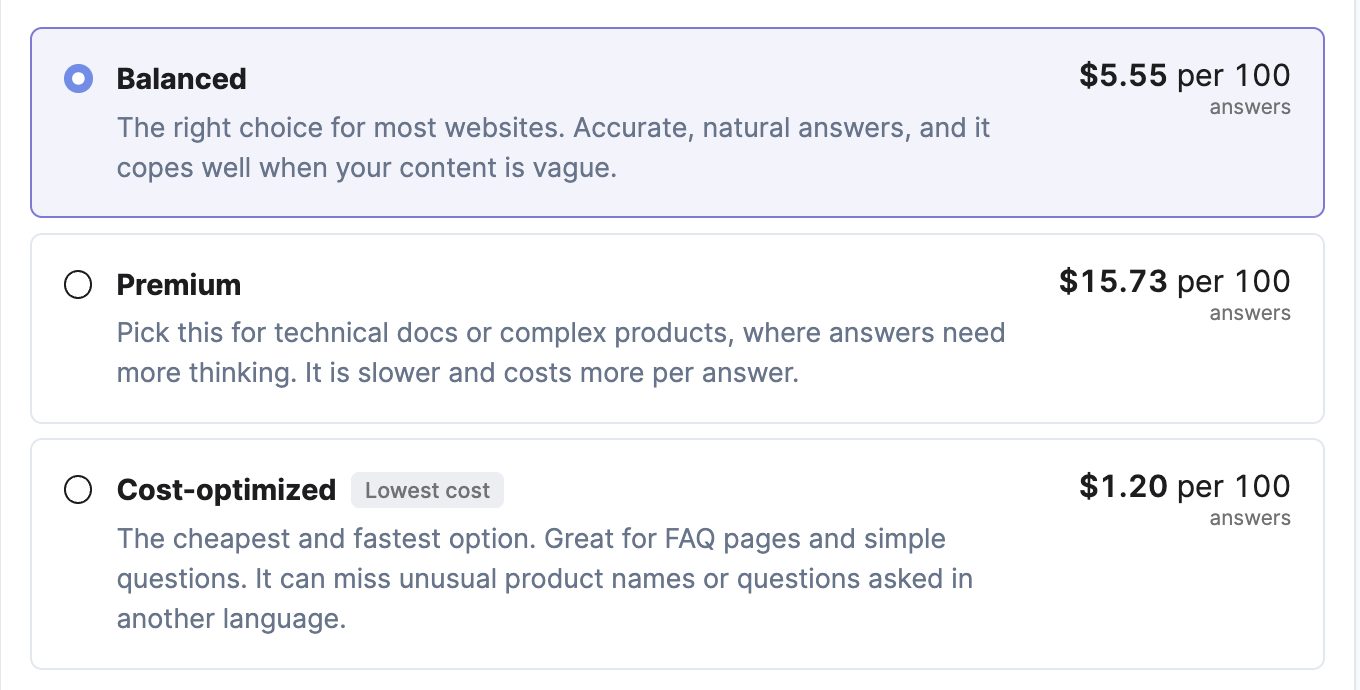
Match the AI to your visitors' questions. You pick a tier, not a model. Behind each tier sits a specific model, and we change which one as better models ship, without your setting needing to change.
Balanced
Balanced is the right choice for most websites. It gives accurate, conversational answers and stays reliable when content is unclear.
It is the default on every account, so if you are not sure, pick this one.
Premium
Premium is best for technical documentation and for sites with complex products or questions that need deeper reasoning.
It is slower than Balanced. That trade is worth it when a wrong answer costs you a support escalation, and not worth it when your visitors mostly want to know your shipping cut-off.
It requires Pro. See Credits and Limits.
Cost-optimized
Cost-optimized is by far the cheapest per answer, and the fastest too, because it uses a smaller model and skips the keyword-expansion step. Against Balanced it is several times cheaper for the same question.
Use it on FAQ-style sites where volume matters more than nuance. It is slightly weaker on rare-noun queries and multilingual edge cases.
Like every model other than Balanced, it needs Pro.
Choosing
| Your site | Tier |
|---|---|
| Store, blog, marketing site | Balanced |
| Technical docs, API reference, complex B2B | Premium |
| Short FAQ, high traffic, cost per answer matters | Cost-optimized |
| Heavily multilingual | Balanced or Premium, not Cost-optimized |
Changing the tier takes effect on the next question. There is no reindex and no migration.
What each tier costs
The Setup page shows a live per-answer price next to each tier, and the same figure appears on your Credits page for whichever tier your widget is set to. That price is what the answer takes off your balance, so switching tier changes your running cost immediately, on the next question.
The gap is large: Premium costs several times Balanced, and Cost-optimized costs a fraction of it. Prices come from real measured usage rather than a fixed list, so they move when models or their rates do.
If the AI Model section is not on your Setup page, Pro is not active and you are on Balanced. Everything else on the page still applies.
Reliable answers, even when one AI provider is unavailable
CrawlBrain works with Claude, GPT, Gemini, and DeepSeek. If the primary model times out or its provider is down, the request is routed to a backup in milliseconds.
Your visitor sees an answer and never sees the outage. The switch is automatic, with nothing to configure.
Tone
Tone has three options, directly under the model picker.
| Option | Sounds like |
|---|---|
| Friendly | Casual language, with contractions |
| Professional | Formal phrasing, no contractions |
| Match website | Picks the tone from your synced content |
Match website reads how your own pages are written and answers the same way, so dry, precise docs get dry, precise answers and a chatty blog gets chatty ones.
It works well when your content has a consistent voice. If your site is a mix of a formal legal section and a casual blog, pick Friendly or Professional explicitly instead.
Tone changes wording only. It never changes the facts, and it never lets the model answer from anything other than your content.
What tone will not fix
If answers are wrong or incomplete, the tone setting is not the lever, and usually neither is the model tier.
Answer quality is a content problem far more often than a model problem. Work through it in this order:
- Read the source pages. Open View content from the page's row menu. If the stored text is thin or full of navigation, fix that in Sync Settings.
- Check for competing pages. Two pages with contradictory information will produce a hedged answer. Exclude one from AI.
- Add a snippet. This is the most direct fix available: write the exact answer, with the question as the title.
- Then try Premium.
Troubleshooting walks through the same path with more detail.