
Snippets
Snippets are answers you write for questions your website does not cover, and the widget uses them without you publishing a page.
Every site has a few of those, like the shipping exception that lives in someone's inbox, or the compatibility question three customers ask a week that has no article behind it.
Writing one takes 45 seconds on video:
Open Knowledge → Snippets.
When to use one
Use a snippet when the answer is true and useful but does not appear on a public page.
| Situation | Good snippet? |
|---|---|
| The answer is on a page the crawler missed | No. Fix the crawl instead. |
| The answer exists nowhere on your site | Yes |
| The answer is on a page but buried in a 4,000-word article | Yes, as a short direct version |
| You want a specific phrasing for a specific question | Yes |
| Internal policy your visitors should know but you do not want a public URL for | Yes |
The most productive source is your own content gaps. Those are real questions from real visitors that got no good answer, ranked by how often they were asked.
Creating one
Click New snippet.
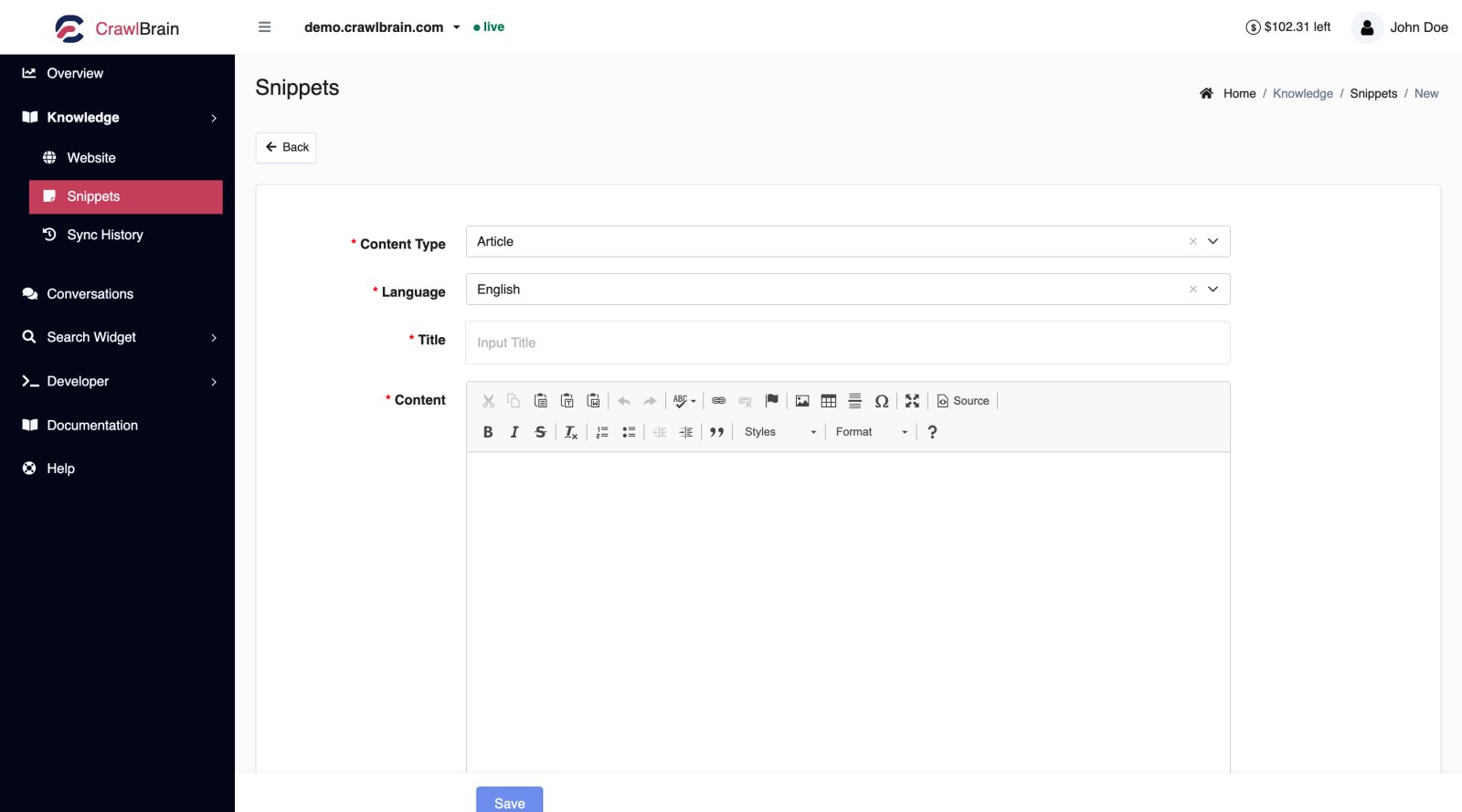
| Field | What to put in it |
|---|---|
| Content type | Article, product, or another label. Purely organisational. |
| Language | The language the snippet is written in. Answers can still be given in other languages. |
| Title | Write it as the question a visitor would ask |
| Content | The answer. Rich text or Markdown. |
Save, and it is indexed within a minute or two without a re-crawl.
Write the title as the question
The title matters more than anything else on this screen.
Do you ship to Canada? retrieves far better than Shipping information, because the title is part of what gets matched against the visitor's question, and visitors phrase things as questions.
Keep each one to one question
Give each snippet one answer and keep it short: two hundred words is plenty.
A single snippet covering shipping, returns, and warranty will get retrieved for all three topics and answer none of them cleanly. Three separate snippets each win their own question.
Creating a snippet from a real question
This is the fastest loop in the product.
Open Conversations, switch to the Unanswered tab, and click a question to open it, then Create snippet under the answer that missed. The title is pre-filled with the visitor's exact wording. You write the answer and save.
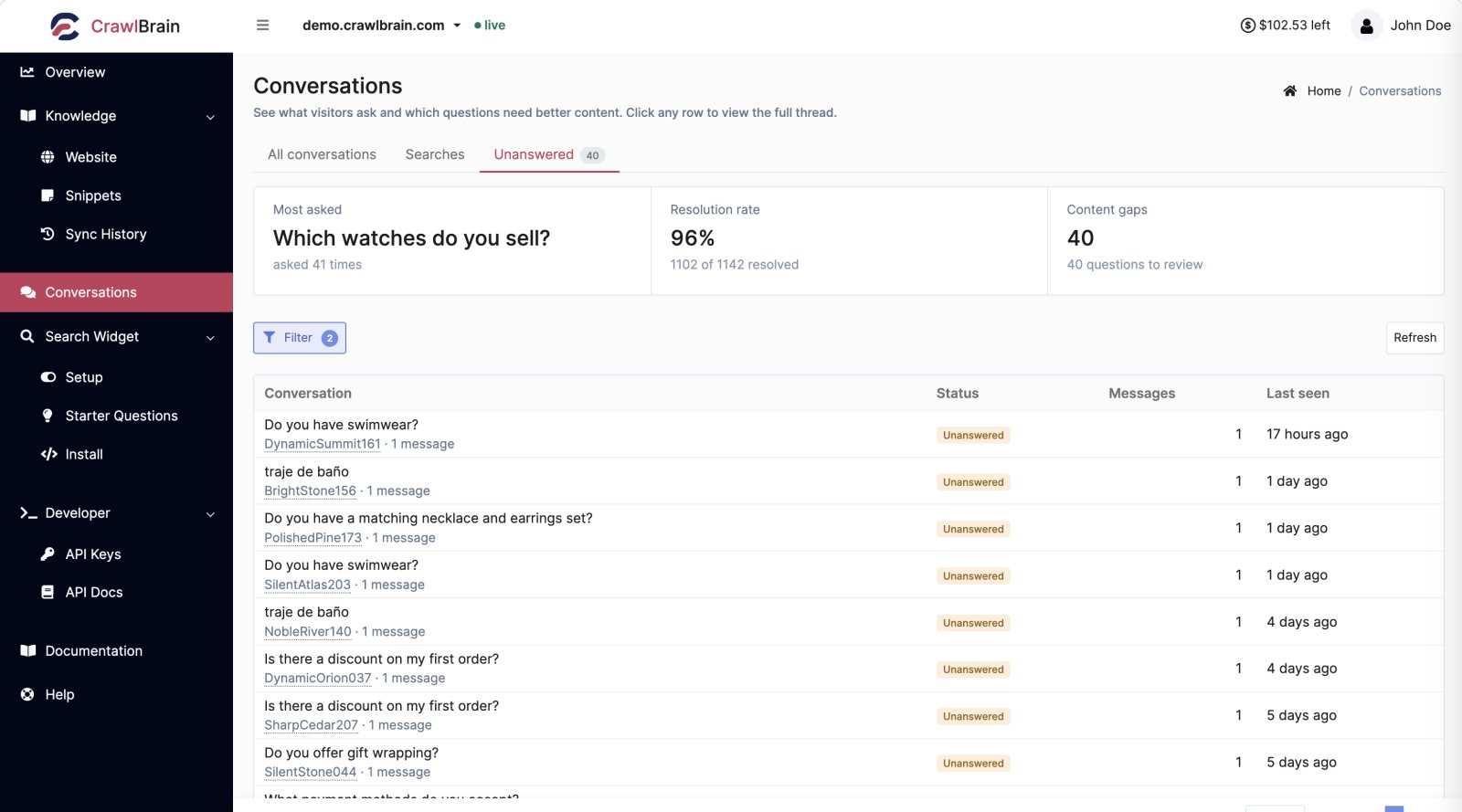
You just answered a question you were previously losing, in the visitor's own words.
The same action exists inside a conversation thread, where you can see the full context first.
Auto snippets
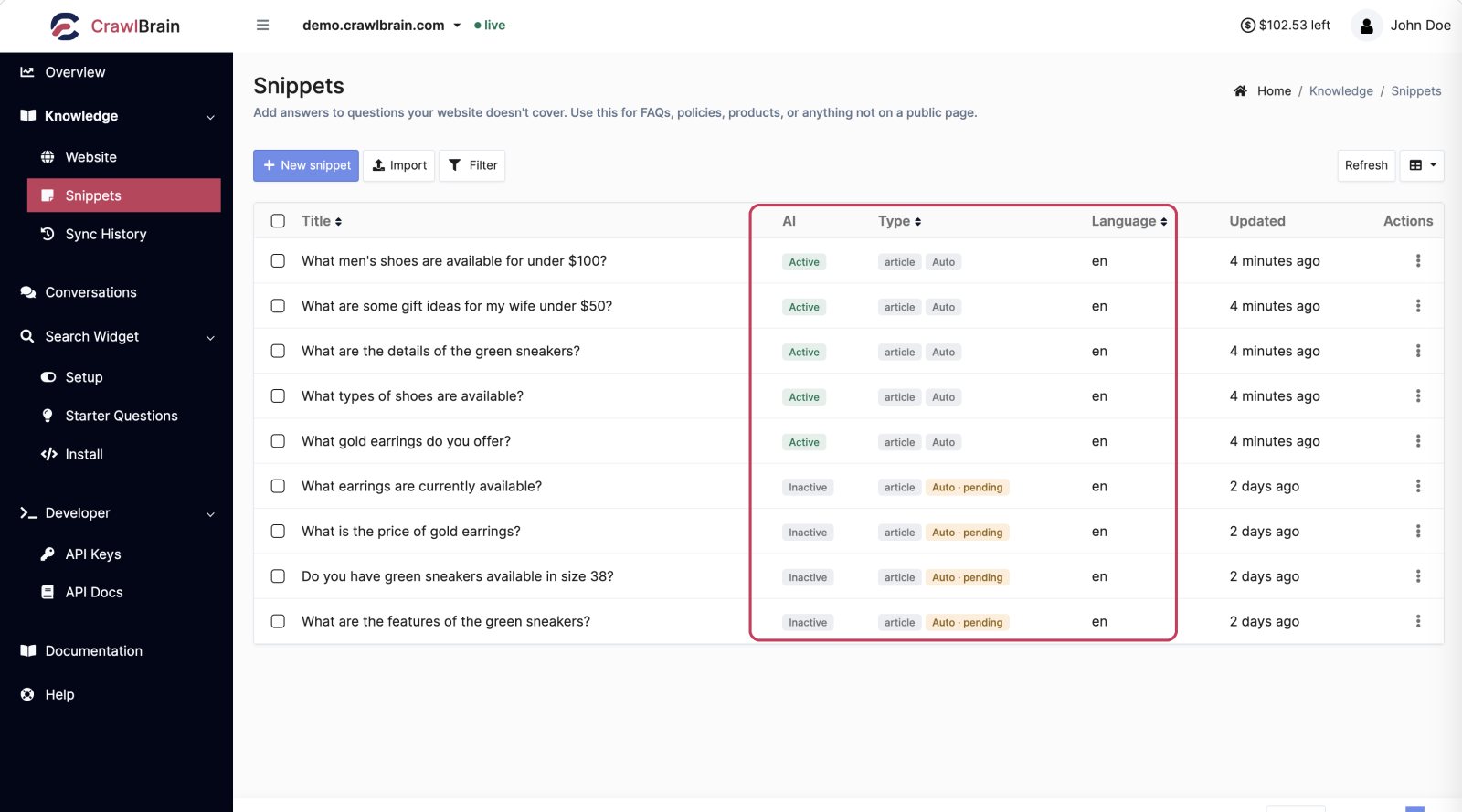
Snippets tagged Auto were generated by CrawlBrain from your synced content rather than written by you.
They behave exactly like the ones you write: you can edit or delete any of them freely, or deactivate one to keep it out of answers. Anything you edit stops being overwritten.
Auto · pending marks a draft written for a question your content could not answer. It stays Inactive, so it answers nothing, until you review it and switch it on.
 Zoomed in: five Auto snippets answering, four drafts waiting for review.
The list
| Column | Meaning |
|---|---|
| Title | The snippet's title |
| AI | Active means it is in the answer pool |
| Type | Content type, plus an Auto tag if generated |
| Language | Language you selected |
| Updated | Last edit |
Use the row menu to edit a snippet, or to deactivate or delete it.
Deactivating is better than deleting when you are unsure. A deactivated snippet stops answering immediately and can be switched back on in one click.
Bulk import
For more than a handful, do not type them one by one. Import takes a document or a spreadsheet and turns it into many snippets at once.
See Importing Documents.
Snippets and your page count
Snippets count separately from crawled pages. The Custom column in the websites list is the snippet count for that site.
Keeping them honest
Snippets never expire and never re-check themselves. That is the point, and also the risk: a snippet written in March still confidently answers in December.
Two habits keep them useful:
- When you change a policy, search your snippets for it before you close the ticket.
- Sort by Updated every quarter and read the oldest ten.