
Exports and llms.txt
Open Knowledge → Website and click Export to save your whole site as a file that any AI tool can read.
A 48-second look at the formats:
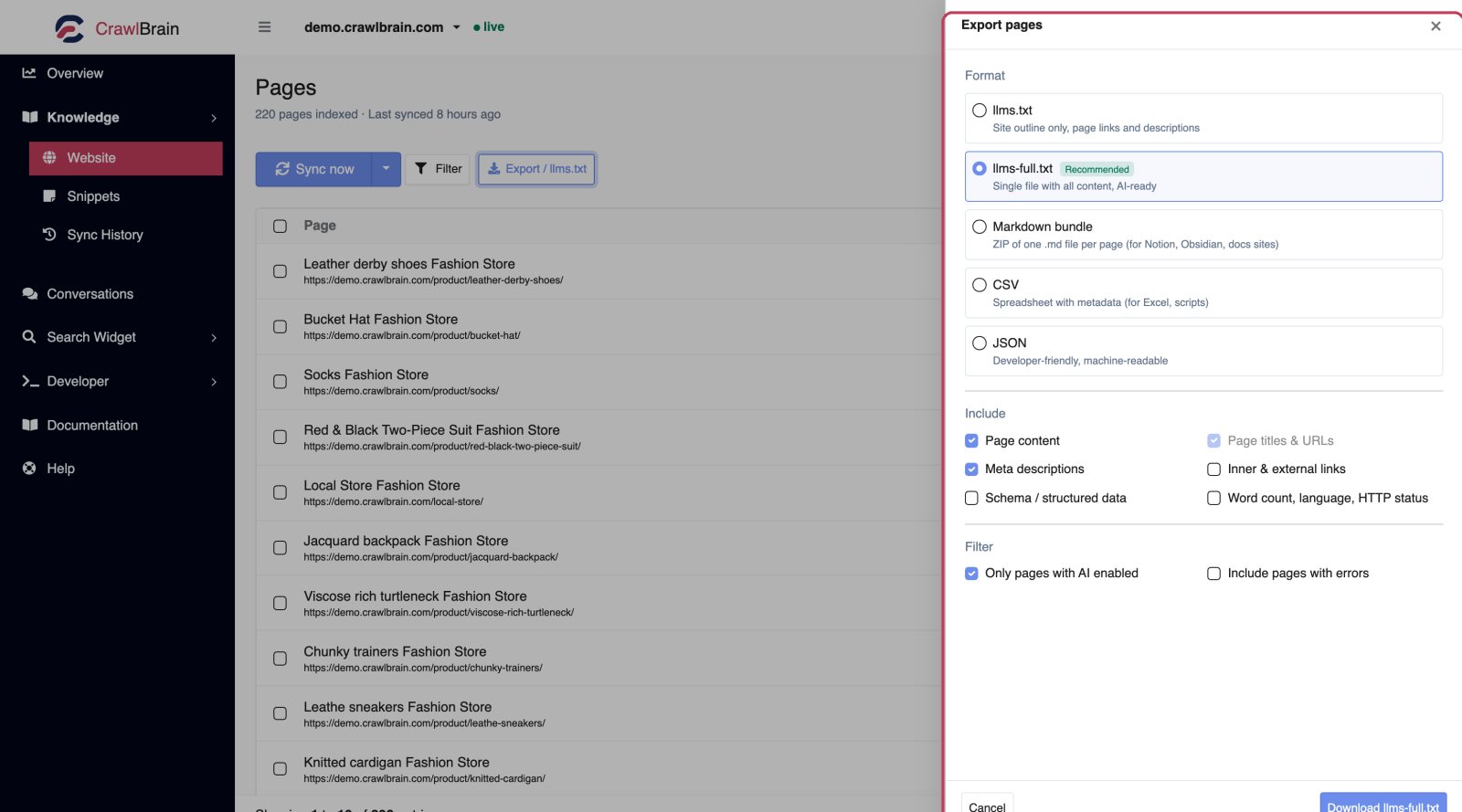
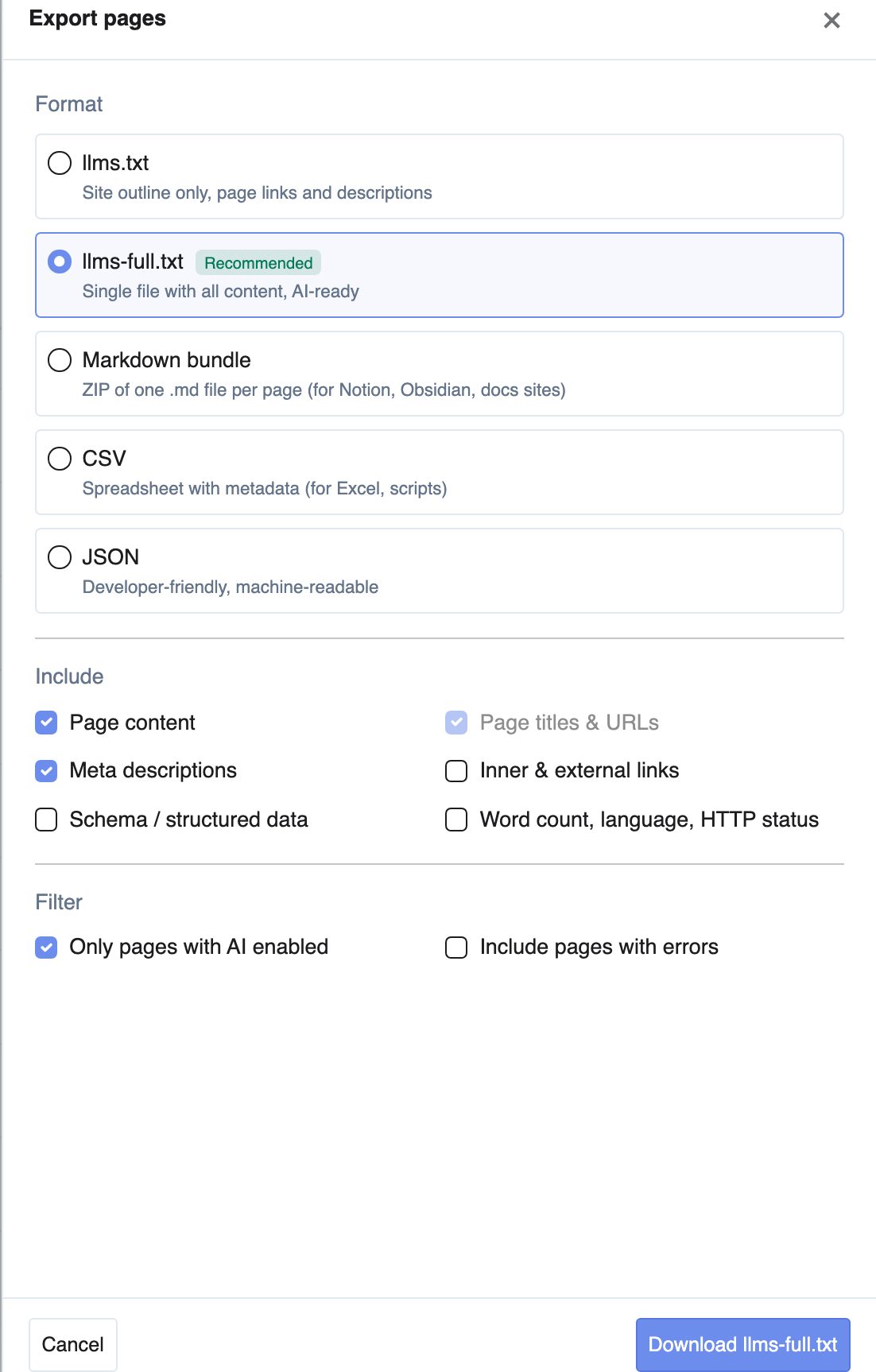
The five formats
| Format | What it is | Use it for |
|---|---|---|
llms.txt |
Site outline. Page links and one-line descriptions | The standard AI-discovery file. Publish it at your site root |
llms-full.txt |
One file with all your content, AI-ready | Pasting into Claude Projects, Custom GPTs, or any long-context tool |
| Markdown bundle | ZIP with one .md file per page |
Notion, Obsidian, a docs site, a static generator |
| CSV | Spreadsheet with metadata | Excel, audits, scripts |
| JSON | Machine-readable | Pipelines and your own tooling |
What llms.txt is for
llms.txt is an emerging convention, the way robots.txt was for crawlers. It gives AI systems a clean map of your site instead of making them guess from your HTML.
It looks like this:
# Acme Store
> Everything we sell, ship, and stand behind.

## Pages
- [Returns Policy](/returns): 30 day returns, free with receipt
- [Shipping](/shipping): EU delivery in 7 to 14 days
Download it and upload it to the root of your website, so it is reachable at https://example.com/llms.txt. Re-export it whenever your content changes meaningfully.
A published llms.txt gives ChatGPT, Claude, Gemini and Perplexity a clean, quotable version of your site, so your AI search visibility no longer depends on how well they parse your theme.
llms-full.txt is the same idea with the actual page content inline. It is the one to paste into an AI tool when you want it to know your entire site.
Choosing what goes in
Include controls the fields:
| Option | Notes |
|---|---|
| Page content | The body text. Off gives you an index only |
| Page titles and URLs | Always included |
| Meta descriptions | Your existing SEO descriptions |
| Inner and external links | Links found on each page |
| Schema / structured data | JSON-LD found on the page |
| Word count, language, HTTP status | Useful for audits |
Filter controls the rows:
- Only pages with AI enabled. On by default. Excludes anything you took out of the answer pool.
- Include pages with errors. Off by default. Turn on when you are auditing, off when you are publishing.
What you need
llms.txt is free on every account, with or without Pro.
Every other format, llms-full.txt included, requires Pro, because it emits your page content in bulk. See Credits and Limits.
Exporting other data
Exports live on the screen that owns the data:
| Data | Where |
|---|---|
| Indexed pages | Knowledge → Website → Export |
| Sync log | Knowledge → Sync History → Export |
| Visitor searches | Conversations → Searches → Export CSV |
| A single conversation | Open the thread, then Export conversation |
| Billing history | Credits → Billing history → Export |
Practical uses
Feed a Custom GPT or Claude Project. Export llms-full.txt and upload it to get an assistant that knows your product without any integration work.
Migrate a knowledge base. The Markdown bundle is one file per page with clean text, which is exactly what every static docs generator wants.
Audit your content. CSV with word count and HTTP status, sorted by word count ascending, is a thin-content report in about ten seconds.
Hand content to an agency. Send them the JSON or CSV export, and they never need access to your CMS.