
Billing
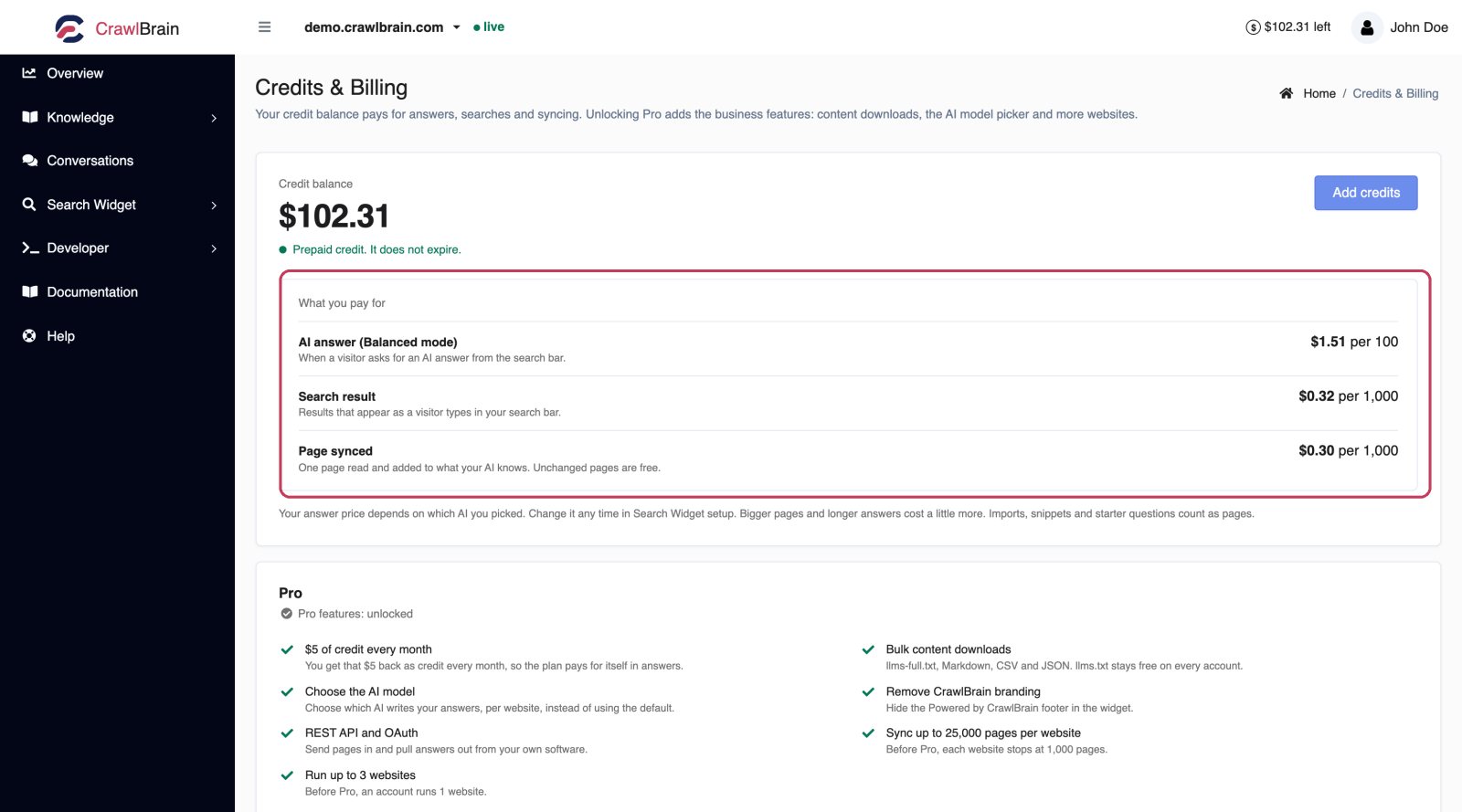
The Credits screen, opened from the account menu, is where you buy credit and activate Pro. Payments go through Paddle, which is PCI compliant and handles tax worldwide, and you can cancel any time.
How credit is spent, and how to top it up, in 56 seconds:

Who takes the payment
Paddle is the merchant of record. It charges your card and issues the invoice, with tax worked out for whatever country you are in, and CrawlBrain never sees or stores your card details.
Your invoice comes from Paddle and shows CrawlBrain as the product.
Two things you can pay for
Credit is prepaid and pays for the work your sites do, from answers and searches to syncing and imports. Buy it whenever you want, in whatever amount you want.
Pro is $5 every 30 days, and the $5 lands in your credit balance. On top of that, Pro adds bulk downloads, the AI model picker, branding removal, the API, and the higher page and website ceilings.
Credit and Pro are independent, so you can run on credit alone, or keep Pro active without ever buying extra credit.
Buying credit, and activating Pro
They are the same action, which is why there is one button.
Click Add credits on the Credits page. A slider picks the amount, from $5 to $500. As you drag it, the dialog updates its estimate of what that amount buys, counted in answers and searches as well as synced pages.
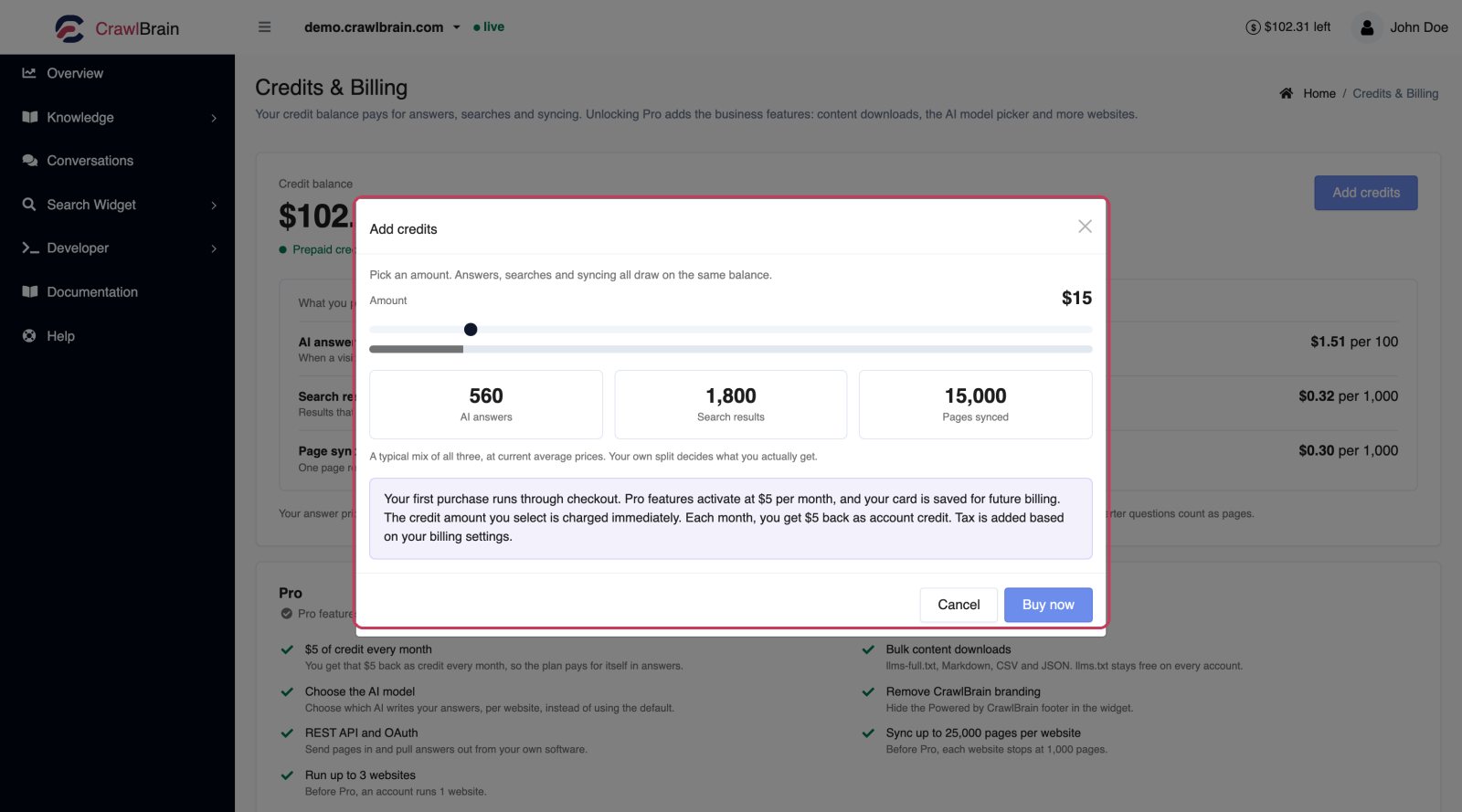
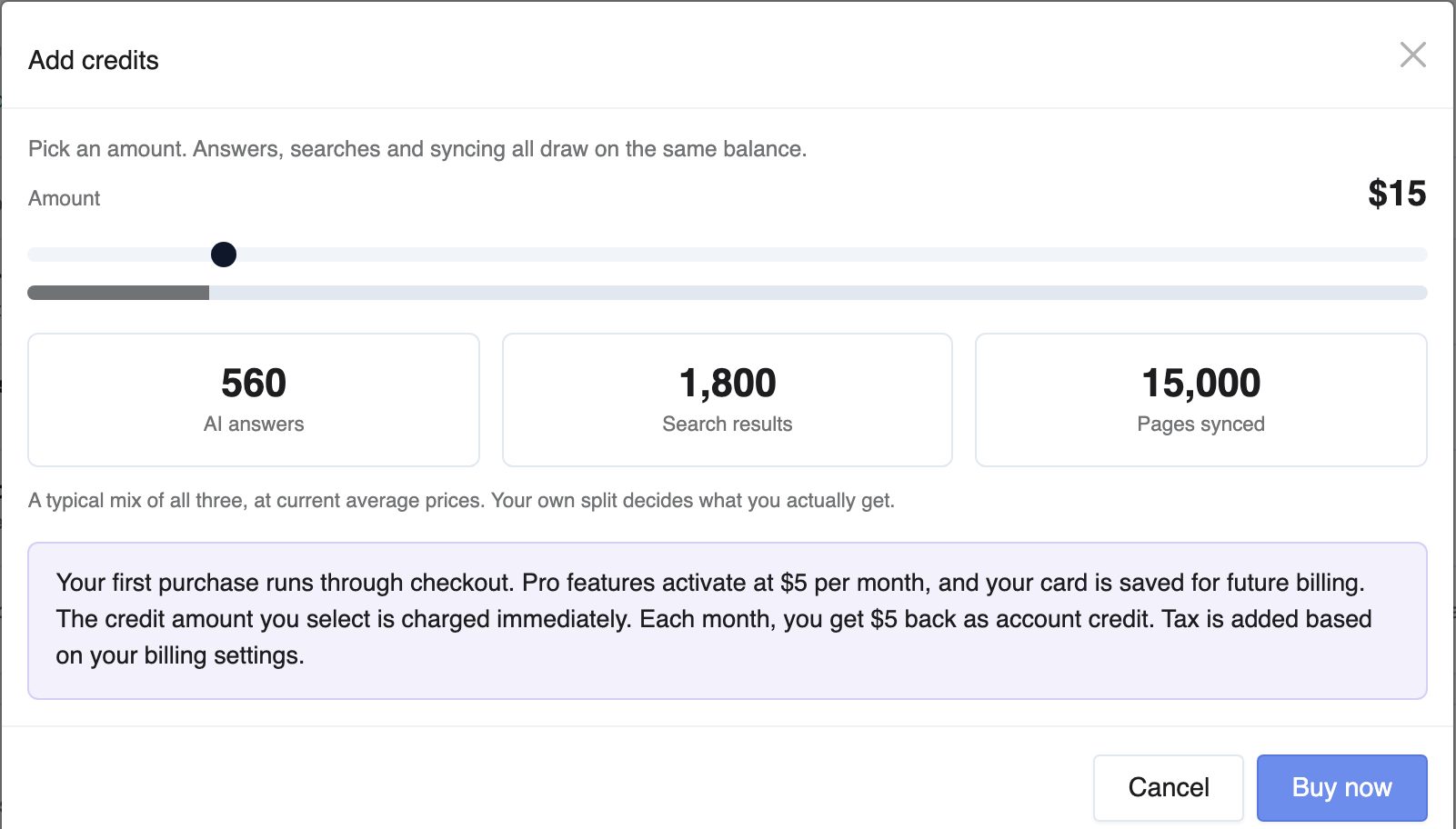
The first time, with no card on file, CrawlBrain sends you through Paddle's checkout. That sets billing up on the account and saves a payment method, which is what makes one-off charges possible at all. Once checkout is confirmed, the credit amount you picked is charged automatically, and the new balance appears on the page with Pro already active.
Every purchase after that is one click, with no redirect and no card to re-enter: the charge goes to your saved payment method and appears on your next Paddle receipt.
If a purchase is still being confirmed, the button stays disabled and the page tells you so, which stops a double charge while a payment is in flight.
Your first payment is the $5 for Pro plus the top-up you picked, and both become credit: pick $20 and you pay $25 before tax and get $25 of credit. Taxes are extra and do not become credit. After that, $5 arrives as credit with each 30-day renewal.
Turning Pro off
Manage billing on the Credits page opens Paddle's portal, where you can cancel.
You keep everything until the end of the period you have paid for. Nothing is cut off early.
When the paid period ends, the 30-day credit stops and the Pro features switch off. Downloads drop back to llms.txt. The model picker disappears and the branding footer comes back, while API access ends and the ceilings return to 1,000 pages and 1 website.
Your credit balance is untouched, and your widget keeps answering as long as there is credit in it. Your data stays too, from the index and snippets to conversation history and settings. Activating Pro again puts everything back exactly as it was.
There is no contract and no cancellation fee.
Billing history
Billing history lists every order with its amount and status, plus the payment reference. Credit purchases and Pro renewals both appear there.
Export downloads the lot as a file, which is the thing your accountant actually wants.
Invoices themselves come from Paddle. The receipt email for each charge has the PDF, and Paddle's customer portal has them all.
Redeem codes
Gift codes and lifetime deal codes go in the redeem field on the Credits page. Each valid unused code adds $10 to your balance.
Failed payments
If a charge fails, Paddle retries on a schedule and emails you. Pro stays active during the retry window.
Update your card through Manage billing rather than waiting for the next retry.
If every retry fails, Pro lapses: the features switch off and the 30-day credit stops. Your data and your balance stay as they are, and activating Pro again reinstates it.
A failed credit purchase charges you nothing. The balance only moves when Paddle confirms the payment.
Refunds
The refund policy is linked from the Credits page.
If something is wrong, contact us rather than filing a chargeback. A chargeback locks the account while the bank investigates, which helps nobody, and we would rather just sort it out.
Larger accounts
For larger accounts we set custom volume and pricing, and we offer priority incident response. You also get direct access to the founding team.
Talk to us and you will hear back within 24 hours.
Common questions
Can I use CrawlBrain without paying anything? New accounts start with a one-time $5 signup credit and no card. When it runs out, the widget switches to free keyword search and AI answers pause until you add more.
Is the $5 for Pro on top of credits? No, the $5 becomes credit. The price buys the features and the higher ceilings, and the money itself comes back as balance.
Do I pay per website? No. Each plan caps how many websites you can add, and adding one costs nothing by itself, because credit is spent only on the work your sites actually do.
What if I run out mid-month? The widget switches to free keyword search, so visitors can still find pages and nothing breaks for them. AI answers and semantic search pause until you add credit, and so does the daily sync. See Answers and Searches.
Do you handle VAT? Paddle does, worldwide. Add your VAT number at checkout if you have one.