
Conversations
Open Conversations to see every question your visitors asked and every answer they got. It is the voice-of-customer report your analytics never handed you.
The summary cards, a full thread and the export, in 46 seconds:
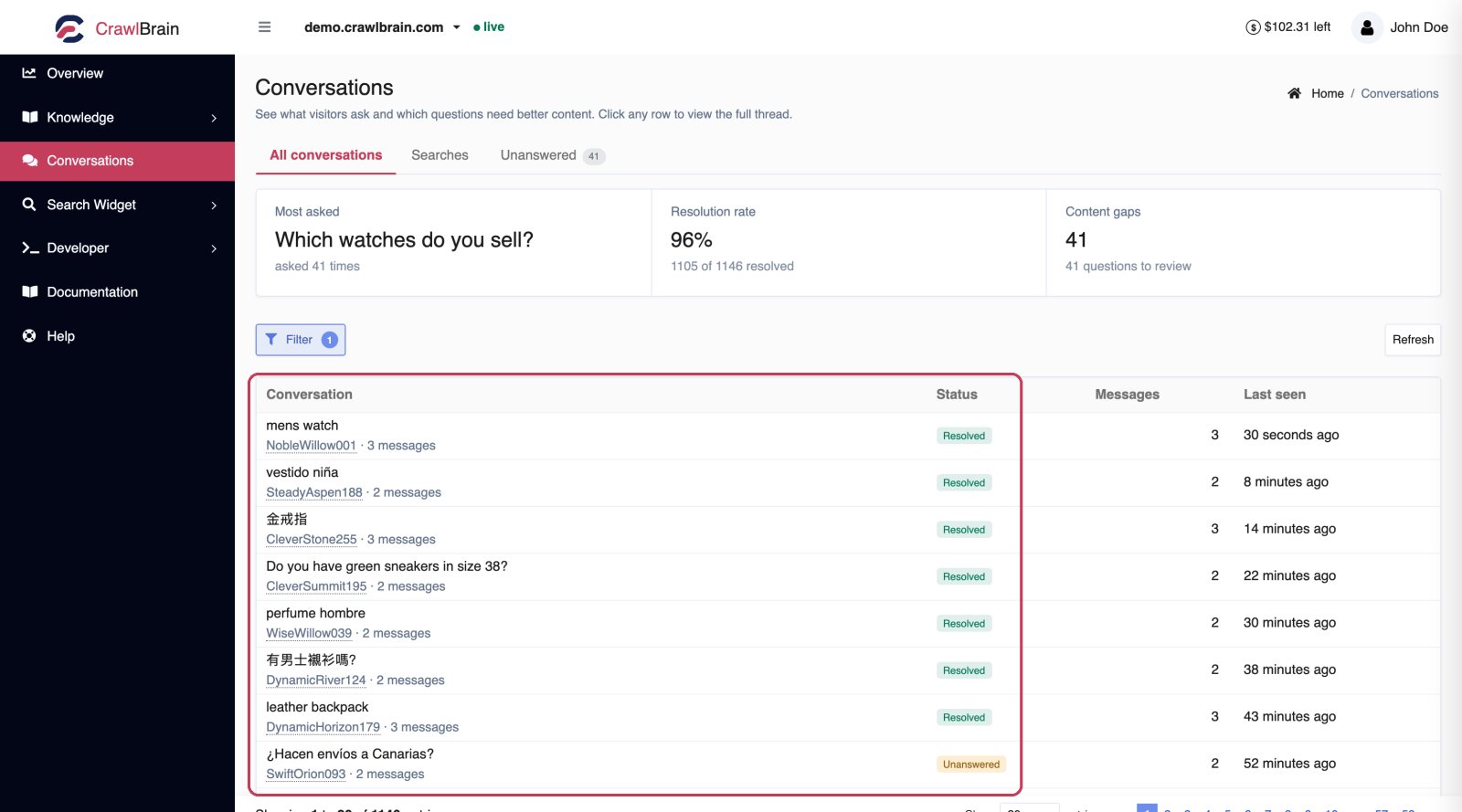
The three cards
Most asked. This card shows the single question that comes up most, and how many times it was asked. If it appears more than a handful of times, it belongs in your starter questions, and probably on a page of your site.
Resolution rate. Answered questions are divided by the total, and the gap between the two is what you are losing.
Content gaps. These are the questions that need better content, and clicking through takes you to the Unanswered tab.
The three tabs
| Tab | What it holds |
|---|---|
| All conversations | Every thread, answered or not |
| Searches | What people typed, before any AI ran |
| Unanswered | The threads that needed content you do not have |
Searches and Content Gaps have their own pages.
The list
 Each visitor is answered in the language they asked in.
| Column | Meaning |
|---|---|
| Conversation | First question in the thread, and the visitor label |
| Status | Resolved, Unanswered, or Needs review (answered, but the visitor rated it not helpful) |
| Rating | Thumbs up and thumbs down the visitor gave, with counts |
| Messages | How many turns in the thread |
| Last seen | When it happened |
Visitor labels like SharpFalcon063 are generated. They let you follow one person's session without CrawlBrain storing anything that identifies them.
Reading a thread
Click any row.
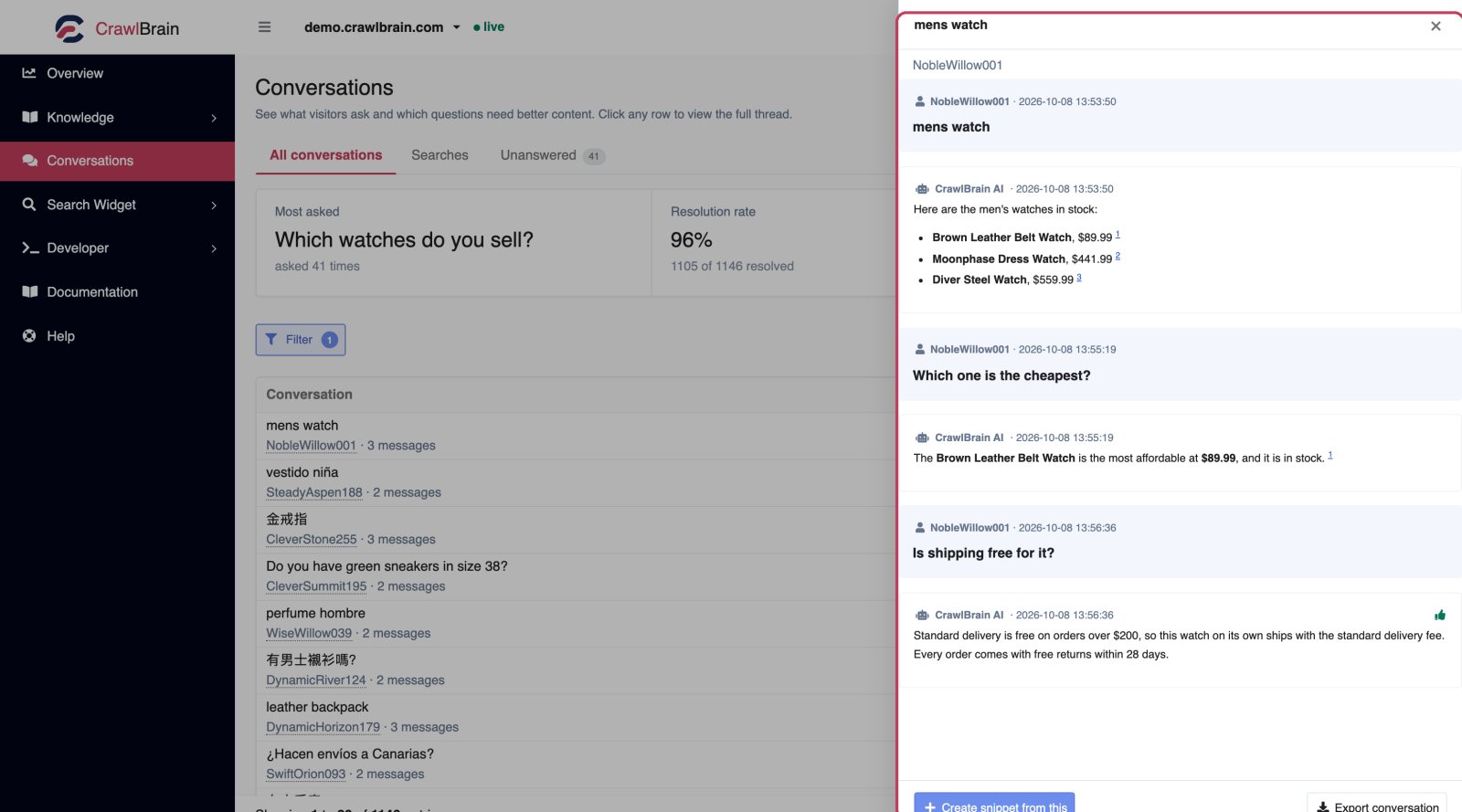
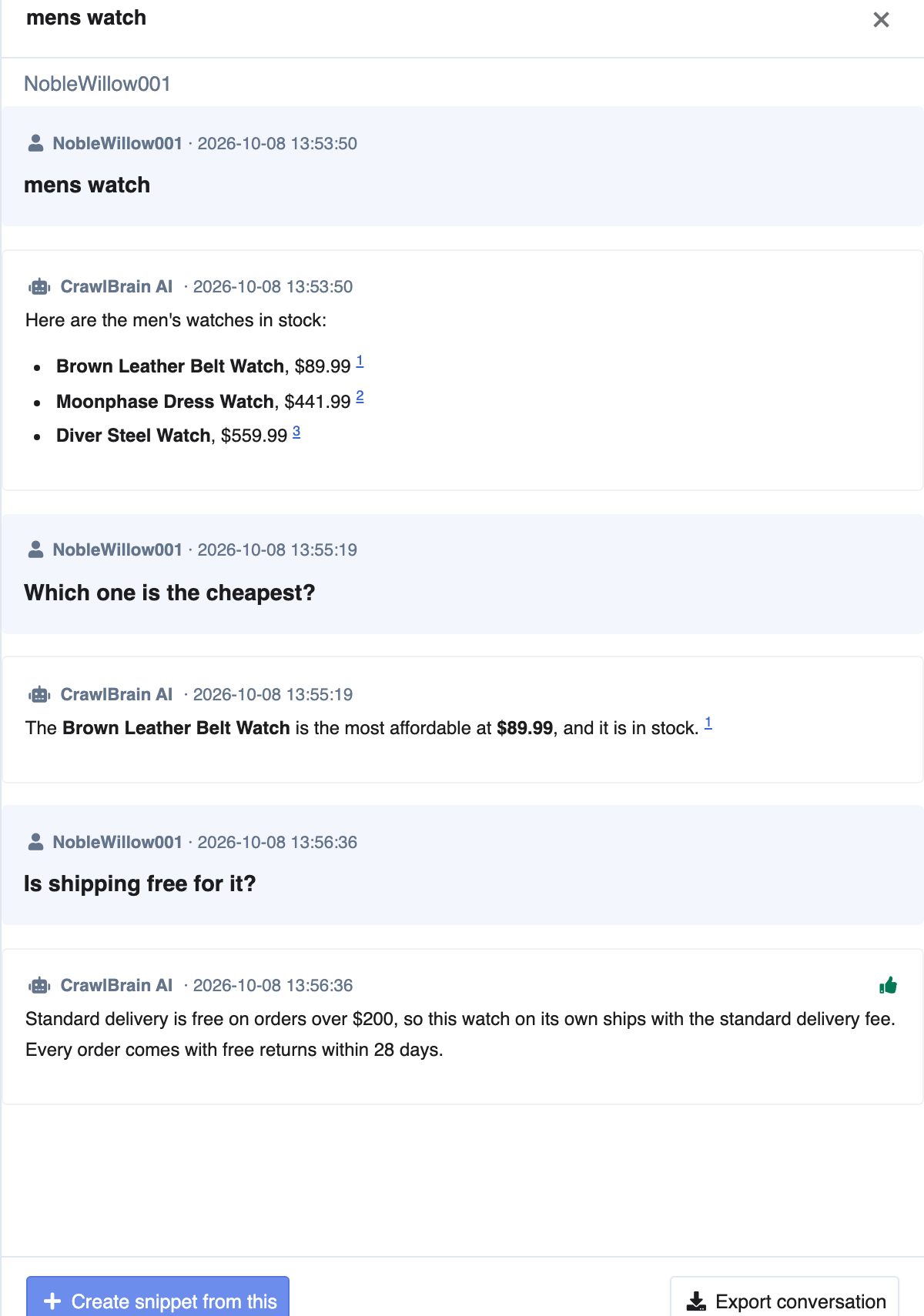
The drawer shows the full exchange in order, questions and answers, with timestamps and the sources each answer used.
The drawer is also where conversation memory shows. In the thread above, someone asked how to change their login URL and then, without naming the product again, asked something else entirely in another language. The second answer knew the context of the first.
Create snippet. Shown under every answer that missed. Opens the snippet editor pre-filled with that question as the title, so in a thread where only the second question went unanswered, the snippet is for the second question. The fastest way to close a gap you just read.
Export conversation. At the bottom of the drawer. The full thread as a file, for a ticket or a team channel.
Filtering
Filter narrows the list:
- Date range. What happened during a campaign, or since a release.
- Status. Resolved, unanswered, or needs review.
- Rating. Helpful, not helpful, or not rated.
- Search text. Find every thread mentioning a term.
Export CSV downloads every question and answer in the current view, one row per question, with its status and rating. It follows the filters you have set.
Filtering by thumbs down is the highest-signal filter in the product. Each of those rows is a visitor who read an answer and told you it was wrong, which is rarer and more valuable than any survey response you will ever collect.
What to do with this screen
Weekly, five minutes
- Open Unanswered, sort by most recent, and turn the top three into snippets.
- Filter All conversations by thumbs down and read whatever is there.
That is the whole loop, and five minutes a week with those two filters is enough to keep your resolution rate going up.
Monthly, twenty minutes
- Read fifty threads end to end. Not to fix anything, just to see what people actually think your product is.
- Look for questions asked repeatedly that your site answers badly rather than not at all. Those need a better page, not a snippet.
- Check whether your starter questions still match the real top questions.
When something breaks
Filter by the date and read what people asked. During an outage or a bad release, this log is a live feed of what customers are confused about, hours before the support queue reflects it.
Retention
Conversation history is kept for 60 days.
If you need it beyond that, export what matters. Export CSV on the list saves every conversation in view, and single threads export from the drawer. Searches have their own CSV export on the Searches tab.
Privacy
CrawlBrain stores the question, the answer, the sources, and a session identifier. It keeps nothing a visitor did not type into the search box, which rules out names and email addresses as well as IP addresses.
Visitor labels are generated per session and are not linked to a person.