
Sync History
Sync History logs every URL CrawlBrain tried, with the HTTP status it got back. Look here when a page is missing and you do not know why.
Open Knowledge → Sync History.
Finding a failed page and fixing it, in 48 seconds:
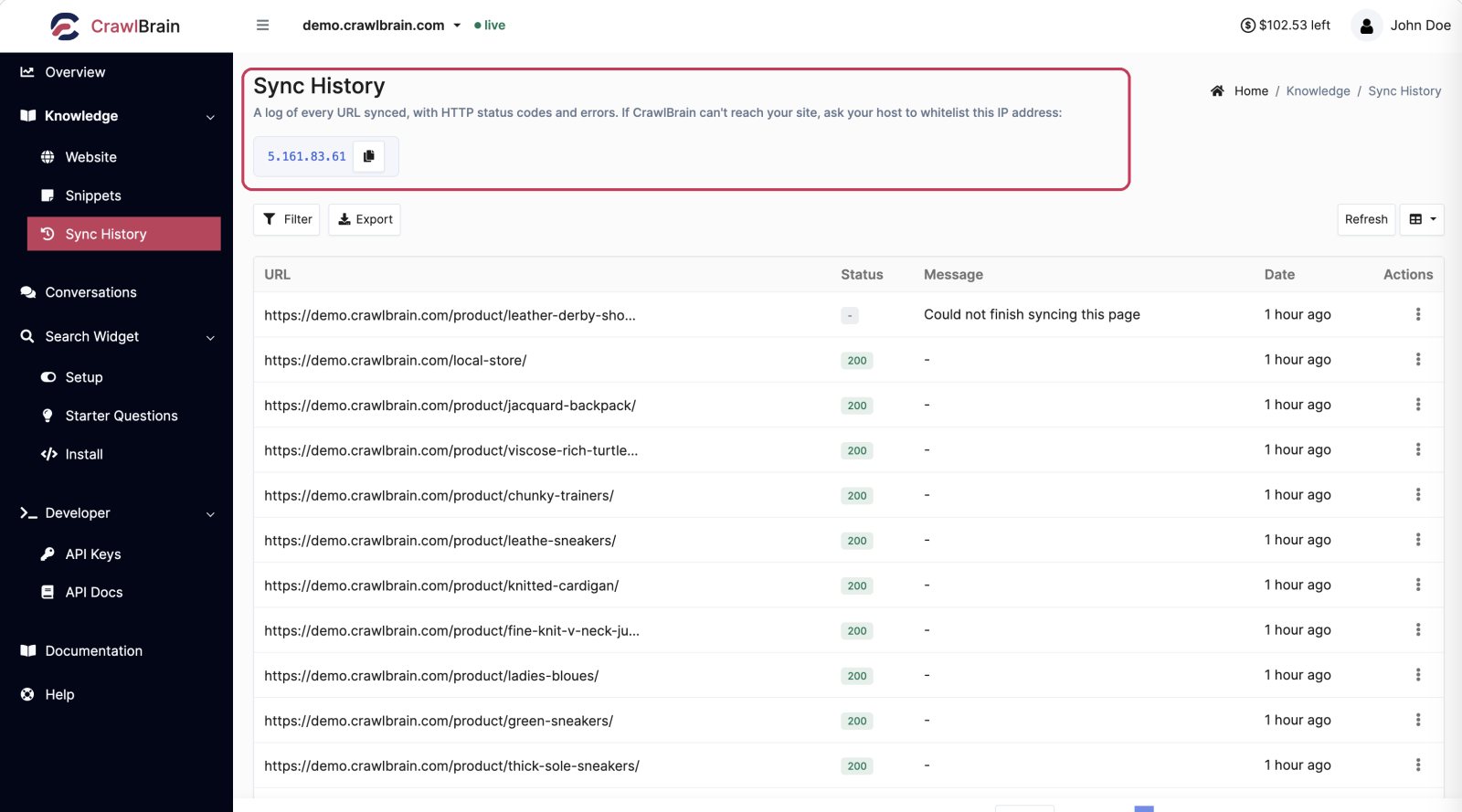
The IP address at the top

That highlighted address is the IP CrawlBrain crawls from.
If your host, firewall, or security plugin is blocking the crawler, this is the address to whitelist. Copy it with the button next to it and send it to your host, a single step that resolves most "CrawlBrain cannot reach my site" tickets.
The list
| Column | Meaning |
|---|---|
| URL | The address that was requested |
| Status | HTTP status code returned |
| Message | Short reason when something went wrong |
| Date | When it was tried |
A green 200 means the page was fetched and stored. Anything else means it was not, and the Message column says why.
Reading the statuses
| Status | What happened | What to do |
|---|---|---|
| 200 | Fetched and indexed | Nothing |
| 301 / 302 | Redirect. The destination was queued instead | Nothing, this is correct |
| 403 | Blocked | Whitelist the crawler IP |
| 404 | Not found | Remove it from your sitemap |
| 410 | Gone | Remove it from your sitemap |
| 429 | Rate limited | Choose a slower Crawl speed in Sync Settings |
| 5xx | Your server errored | Usually load. Choose a slower Crawl speed and retry |
Beyond the raw code, the log records a specific cause:
| Cause | Meaning |
|---|---|
noindex_meta / noindex_header |
The page returned fine but told robots not to index it |
canonicalized |
The page points its canonical tag at a different URL. That URL was indexed instead |
redirect_external |
The redirect left your host. Nothing was indexed |
non_html |
Not an HTML page, for example a PDF or an image |
bot_challenge |
A firewall challenged the crawler. Cloudflare, Sucuri, DataDome, reCAPTCHA and similar |
login_wall |
The URL landed on a login form |
timeout / connection_refused |
The server did not answer in time |
crawl_slowed |
Several pages were blocked by a firewall within a few minutes, so the rest of the sync ran 1 page at a time. Not an error |
bot_challenge and 403 are the two you can actually fix, and both have the same fix: whitelist the IP at the top of this page.
Row actions
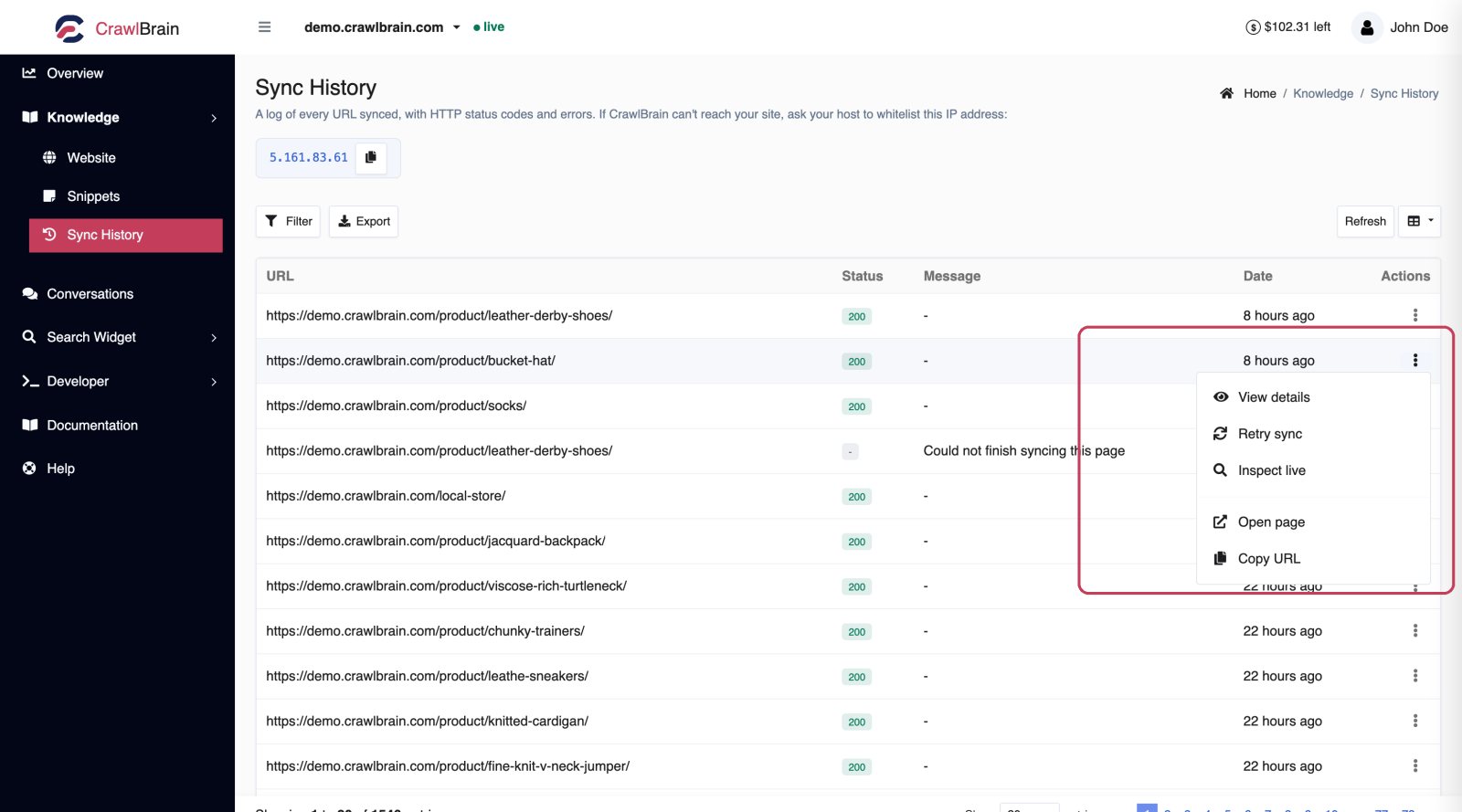
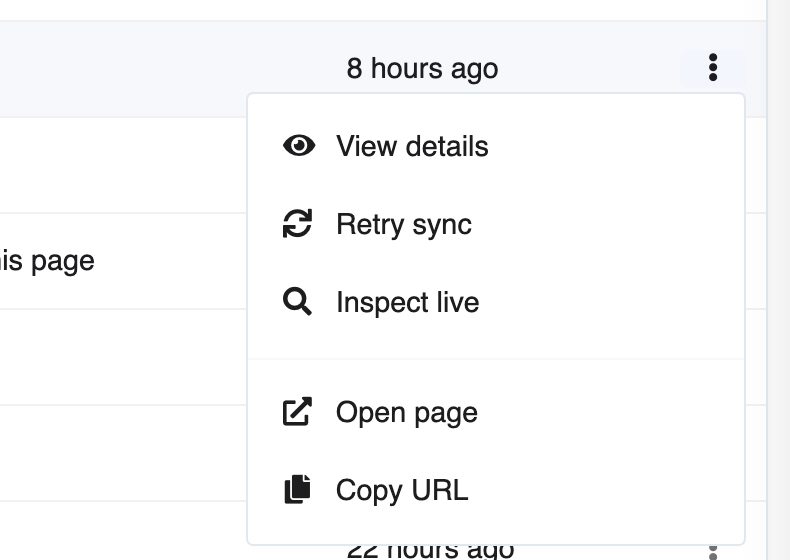
View details. Shows everything recorded for that attempt: final URL after redirects, response headers, response time, redirect count, and a plain-English explanation of what went wrong and what to try.
Retry sync. Fetch this one URL again immediately. Use it after fixing a server issue, to confirm the fix worked, without re-crawling the whole site.
Inspect live. Fetch the URL right now and show what comes back, without changing your index. This is the honest answer to "but it works in my browser", because the crawler is not your browser: it has no cookies or session and sends a different user agent.
Open page. Opens the live URL in a new tab.
Copy URL.
Retrying many pages at once
Click Retry failed pages above the list once you have fixed the cause, for example by allowing the crawler IP in your firewall. It fetches again every page whose last sync failed, on every page of the list, not only the rows you can see.
To retry only some, tick their rows and choose Retry sync from the selection menu.
The pages are queued at your crawl speed, so their rows update over the next minutes rather than at once. Pages that load now are added to search, while pages you deleted or excluded are skipped.
Filtering
Filter narrows the log, and three of its fields matter most:
- Status. Show only errors, or only one code.
- Date range. Isolate one sync run.
- URL. Find one page across every run.
Export
Export downloads the log as CSV or JSON, respecting whatever filter is active.
Filter to 404s first and you have a list to hand to whoever owns the sitemap.
Retention
Log entries are kept for 60 days. Only the log ages out, and your indexed pages are not affected when its old entries are removed.
The three things this page is actually for
- A page is missing. Filter by its URL. The status tells you whether it was blocked, redirected, noindexed, or never requested at all. If it was never requested, it is not in your sitemap and nothing links to it. Add it under Extra pages to include.
- The whole sync failed. Sort by date and look at the first errors. A wall of 403s or
bot_challengemeans the crawler is blocked. A wall of 5xx means your server buckled and you should choose a slower Crawl speed. - The page count dropped. Filter to errors for the most recent run and compare against the previous one.